[!warning] Important
This post in currently in progress

1. 安装 Node.JS

node-v24.11.1-x64.msi: Node.js 24.11.1

1
2
3
NEO@i4N-H4CKD3CK MINGW64 /d/Project.i4N/Blog
$ node -v
v24.11.1
1
2
3
NEO@i4N-H4CKD3CK MINGW64 /d/Project.i4N/Blog
$ which node
/d/Dev.i4N/NodeJS/node
1
2
3
4
5
6
7
8
NEO@i4N-H4CKD3CK MINGW64 /d/Project.i4N/Blog
$ npm -v
11.6.2

NEO@i4N-H4CKD3CK MINGW64 /d/Project.i4N/Blog
$ where npm
D:\Dev.i4N\NodeJS\npm
D:\Dev.i4N\NodeJS\npm.cmd

Node.js 本质上是一个 JavaScript 运行时环境。更准确地说,它把 JavaScript 引擎(V8) 从浏览器中独立出来,让 JavaScript 可以在 操作系统层面运行,因此你可以用 JavaScript 去做: 读写文件、启动 HTTP 服务器、操作网络、调用系统 API、构建工具链(编译、打包、生成文件等),也就是说:Node.js ≈ “让 JavaScript 能像 C / Python 一样在电脑上跑的运行环境”。

npm 是 Node Package Manager,即 Node.js 的包管理器。它的核心职责只有三件事:下载第三方库管理依赖关系提供可执行命令入口
—— ChatGPT

2. 安装 Hexo

2.1 安装 Hexo 全局包

Hexo 本质上就是一个 Node.JS 程序,并且就像可以在 MSYS2 里安装工具一样,Hexo 也可以用 npm 这个包管理工具进行安装运行。

核心命令是 npm install hexo-cli -g,大概意思就是使用 npm 这个包管理器 install 一个叫 hexo-cil 的包(也就是 hexo command line interface),并且采用 -g 也就是全局安装。

npm 全局安装包的默认安装位置在 C:\Users\xxxxx\AppData\Roaming\npm .

1
2
3
NEO@i4N-H4CKD3CK MINGW64 ~/Desktop
$ npm config get prefix
C:\Users\NEO\Desktop\${APPDATA}\npm

此处不知道为什么装在了桌面,重新修改一下路径:

1
2
3
4
5
6
NEO@i4N-H4CKD3CK MINGW64 ~/Desktop
$ npm config set prefix "C:\Users\NEO\AppData\Roaming\npm"

NEO@i4N-H4CKD3CK MINGW64 ~/Desktop
$ npm config get prefix
C:\Users\NEO\AppData\Roaming\npm

为了最小化安装问题,直接装在 C 盘也能接受。

1
2
3
4
5
6
7
NEO@i4N-H4CKD3CK MINGW64 ~/Desktop
$ npm install hexo-cli -g

added 53 packages in 18s

14 packages are looking for funding
run `npm fund` for details

检测一下是否安装:

1
2
3
NEO@i4N-H4CKD3CK MINGW64 ~/Desktop
$ which hexo
/c/Users/NEO/AppData/Roaming/npm/hexo

2.2 托管 Git Pages

1
2
3
4
5
6
7
8
9
10
11
12
13
14
15
16
17
18
19
20
21
22
23
NEO@i4N-H4CKD3CK MINGW64 ~/Desktop
$ ssh-keygen -t rsa -C "i4Nomercyshown@outlook.com"
Generating public/private rsa key pair.
Enter file in which to save the key (/c/Users/NEO/.ssh/id_rsa):
Created directory '/c/Users/NEO/.ssh'.
Enter passphrase for "/c/Users/NEO/.ssh/id_rsa" (empty for no passphrase):
Enter same passphrase again:
Your identification has been saved in /c/Users/NEO/.ssh/id_rsa
Your public key has been saved in /c/Users/NEO/.ssh/id_rsa.pub
The key fingerprint is:
SHA256:Qn1rmYCeW8q5gcv0eLr0wHjTQeaa9JMuE9f/bXfuoRA i4Nomercyshown@outlook.com
The key's randomart image is:
+---[RSA 3072]----+
| |
| o |
| = o . |
| * . o + |
| . *.S =E |
| +.B.O.. . |
| . @o@ . . . |
| =oO.+ . ..o +|
| **= ..o.++|
+----[SHA256]-----+
1
2
$ ssh -T git@github.com
ssh: connect to host github.com port 22: Connection timed out
1
2
3
4
5
6
7
8
9
10
11
12
13
14
NEO@i4N-H4CKD3CK MINGW64 ~/Desktop
$ ssh -T -p 443 git@ssh.github.com
The authenticity of host '[ssh.github.com]:443 ([20.205.243.160]:443)' can't be established.
ED25519 key fingerprint is: SHA256:+DiY3wvvV6TuJJhbpZisF/zLDA0zPMSvHdkr4UvCOqU
This key is not known by any other names.
Are you sure you want to continue connecting (yes/no/[fingerprint])?
Host key verification failed.

NEO@i4N-H4CKD3CK MINGW64 ~/Desktop
$ ssh-keyscan -p 443 ssh.github.com >> ~/.ssh/known_hosts

NEO@i4N-H4CKD3CK MINGW64 ~/Desktop
$ ssh -T -p 443 git@ssh.github.com
Hi Jav1ki4N! You've successfully authenticated, but GitHub does not provide shell access.

进入一个空的本地博客文件夹 D:\Project.i4N\WebSites\Baphomet's Pit

1
2
3
4
5
6
7
8
9
10
11
12
13
14
15
16
17
18
19
NEO@i4N-H4CKD3CK MINGW64 /d/Project.i4N/WebSites/Baphomet's Pit
$ hexo init
INFO Cloning hexo-starter https://github.com/hexojs/hexo-starter.git
INFO Install dependencies
INFO Start blogging with Hexo!

NEO@i4N-H4CKD3CK MINGW64 /d/Project.i4N/WebSites/Baphomet's Pit
$ tree -L 1
.
├── _config.landscape.yml
├── _config.yml
├── node_modules
├── package-lock.json
├── package.json
├── scaffolds
├── source
└── themes

5 directories, 4 files
1
2
3
4
5
6
7
8
9
10
11
12
13
14
15
16
17
18
19
20
21
22
23
24
25
26
27
28
29
30
NEO@i4N-H4CKD3CK MINGW64 /d/Project.i4N/WebSites/Baphomet's Pit
$ hexo install
INFO Validating config
Usage: hexo <command>

Commands:
clean Remove generated files and cache.
config Get or set configurations.
deploy Deploy your website.
generate Generate static files.
help Get help on a command.
init Create a new Hexo folder.
list List the information of the site
migrate Migrate your site from other system to Hexo.
new Create a new post.
publish Moves a draft post from _drafts to _posts folder.
render Render files with renderer plugins.
server Start the server.
version Display version information.

Global Options:
--config Specify config file instead of using _config.yml
--cwd Specify the CWD
--debug Display all verbose messages in the terminal
--draft Display draft posts
--safe Disable all plugins and scripts
--silent Hide output on console

For more help, you can use 'hexo help [command]' for the detailed information
or you can check the docs: https://hexo.io/docs/

测试一下本地部署

1
2
3
4
5
6
7
8
9
10
11
12
13
14
15
16
17
18
19
20
21
22
23
NEO@i4N-H4CKD3CK MINGW64 /d/Project.i4N/WebSites/Baphomet's Pit
$ hexo g
INFO Validating config
INFO Start processing
INFO Files loaded in 713 ms
INFO Generated: archives/index.html
INFO Generated: archives/2026/index.html
INFO Generated: index.html
INFO Generated: fancybox/jquery.fancybox.min.js
INFO Generated: css/style.css
INFO Generated: archives/2026/01/index.html
INFO Generated: js/jquery-3.6.4.min.js
INFO Generated: fancybox/jquery.fancybox.min.css
INFO Generated: js/script.js
INFO Generated: 2026/01/01/hello-world/index.html
INFO Generated: css/images/banner.jpg
INFO 11 files generated in 945 ms

NEO@i4N-H4CKD3CK MINGW64 /d/Project.i4N/WebSites/Baphomet's Pit
$ hexo s
INFO Validating config
INFO Start processing
INFO Hexo is running at http://localhost:4000/ . Press Ctrl+C to stop.

在浏览器中访问 localhost:4000 发现成功进行了本地部署。

接下来就需要托管到 Git Pages 的服务器上了。

打开 \_config.yaml 文件,在最后的 deploy 也就是部署的地方配置 git 部署:

1
2
3
4
5
6
# Deployment
## Docs: https://hexo.io/docs/one-command-deployment
deploy:
  type: git
  repository: https://github.com/Jav1ki4N/Jav1ki4N.github.io.git
  branch: main

这里 repourl 使用 https 协议,如果用 git@github... 的格式,ssh 会走 22 端口导致;连接失败(如上文所述)。

这之后安装 hexo-deployer-git 插件:

1
2
3
4
5
6
NEO@i4N-H4CKD3CK MINGW64 /d/Project.i4N/WebSites/Baphomet's Pit
$ npm install hexo-deployer-git --save
added 17 packages, and audited 258 packages in 10s
44 packages are looking for funding
run `npm fund` for details
found 0 vulnerabilities

这个时候本地文件上传的时候会透过 ssh 上传到 Jav1ki4N.github.io 这个仓库的 main 分支。

1
2
3
4
5
6
7
8
9
10
11
12
13
14
15
16
17
18
19
20
21
22
23
24
25
26
27
28
29
30
31
32
33
34
35
36
37
38
39
40
41
42
43
NEO@i4N-H4CKD3CK MINGW64 /d/Project.i4N/WebSites/Baphomet's Pit
$ hexo g -d
INFO Validating config
INFO Start processing
INFO Files loaded in 139 ms
INFO Generated: archives/2026/index.html
INFO Generated: archives/index.html
INFO Generated: index.html
INFO Generated: archives/2026/01/index.html
INFO Generated: fancybox/jquery.fancybox.min.css
INFO Generated: js/script.js
INFO Generated: css/style.css
INFO Generated: js/jquery-3.6.4.min.js
INFO Generated: fancybox/jquery.fancybox.min.js
INFO Generated: css/images/banner.jpg
INFO Generated: 2026/01/01/hello-world/index.html
INFO 11 files generated in 286 ms
INFO Deploying: git
INFO Clearing .deploy_git folder...
INFO Copying files from public folder...
INFO Copying files from extend dirs...
warning: in the working copy of '2026/01/01/hello-world/index.html', LF will be replaced by CRLF the next time Git touches it
warning: in the working copy of 'archives/2026/01/index.html', LF will be replaced by CRLF the next time Git touches it
warning: in the working copy of 'archives/2026/index.html', LF will be replaced by CRLF the next time Git touches it
warning: in the working copy of 'archives/index.html', LF will be replaced by CRLF the next time Git touches it
warning: in the working copy of 'css/style.css', LF will be replaced by CRLF the next time Git touches it
warning: in the working copy of 'fancybox/jquery.fancybox.min.js', LF will be replaced by CRLF the next time Git touches it
warning: in the working copy of 'index.html', LF will be replaced by CRLF the next time Git touches it
warning: in the working copy of 'js/jquery-3.6.4.min.js', LF will be replaced by CRLF the next time Git touches it
warning: in the working copy of 'js/script.js', LF will be replaced by CRLF the next time Git touches it
[master 30fed87] Site updated: 2026-01-01 16:56:23
2 files changed, 2 insertions(+), 2 deletions(-)
Enumerating objects: 43, done.
Counting objects: 100% (43/43), done.
Delta compression using up to 12 threads
Compressing objects: 100% (27/27), done.
Writing objects: 100% (43/43), 280.12 KiB | 8.75 MiB/s, done.
Total 43 (delta 8), reused 0 (delta 0), pack-reused 0 (from 0)
remote: Resolving deltas: 100% (8/8), done.
To https://github.com/Jav1ki4N/Jav1ki4N.github.io.git
+ 9bffe02...30fed87 HEAD -> main (forced update)
branch 'master' set up to track 'https://github.com/Jav1ki4N/Jav1ki4N.github.io.git/main'.
INFO Deploy done: git

现在去仓库看,发现部署文件已经上传了。并且通过 https://jav1ki4n.github.io 也能进行访问。

3. 主题装潢

主题使用 bufferfly 5.5.3

1
2
3
4
5
6
7
8
9
NEO@i4N-H4CKD3CK MINGW64 /d/Project.i4N/WebSites/Baphomet's Pit
$ git clone -b master https://github.com/jerryc127/hexo-theme-butterfly.git themes/butterfly
Cloning into 'themes/butterfly'...
remote: Enumerating objects: 8324, done.
remote: Counting objects: 100% (37/37), done.
remote: Compressing objects: 100% (22/22), done.
remote: Total 8324 (delta 18), reused 18 (delta 15), pack-reused 8287 (from 2)
Receiving objects: 100% (8324/8324), 3.58 MiB | 4.33 MiB/s, done.
Resolving deltas: 100% (5323/5323), done.

\_config.yaml 中的 theme 改为 butterfly

1
2
3
4
5
6
7
# Extensions
## Plugins: https://hexo.io/plugins/
## Themes: https://hexo.io/themes/

# theme - the specific theme blog will use
theme: butterfly
# theme: landscape

安装渲染器

1
2
3
4
5
6
7
8
9
NEO@i4N-H4CKD3CK MINGW64 /d/Project.i4N/WebSites/Baphomet's Pit
$ npm install hexo-renderer-pug hexo-renderer-stylus --save

added 34 packages, and audited 292 packages in 12s

46 packages are looking for funding
run `npm fund` for details

found 0 vulnerabilities

重新部署一次发现主题已经应用。

3.1 首页大标题处理

1
2
3
4
5
6
7
8
# Site
# title - name of my blog, will be displayed in the top bar of the browser
title: Baphomet's Hideaway

# subtitle - if added, browser's top bar info will be 'title - subtitle'
subtitle: '巴弗滅之隱'
description: ''
keywords:

3.1.1 禁止复制

初始的居中标题可以被选中,这不好。

1
<h1 id="site-title">Baphomet's Hideaway</h1>

\themes\butterfly\source\css\layout\head.styl :

1
2
3
4
5
6
7
8
9
10
11
#site-title,
#site-subtitle,
#scroll-down .scroll-down-effects
text-align: center
text-shadow: 2px 2px 4px rgba(0, 0, 0, .15)
line-height: 1.5

#site-title
margin: 0
color: var(--white)
font-size: 1.85em

可以看到 #site-title 元素没有进行特别处理,于是:

1
2
3
4
5
6
7
8
9
10
#site-title
/* prevent the site title from being selected*/
user-select: none
-webkit-user-select:none
-moz-user-select:none
-ms-user-select:none

margin: 0
color: var(--white)
font-size: 1.85em

user-select 字段的配置禁止用户用鼠标拖拽选中该元素中的文字,并分别考虑了现代浏览器(Chrome、Edge、Firefox 新版本)、 WebKit 内核浏览器(Chrome、Safari、部分移动端)的兼容写法、Firefox(Gecko 引擎)使用的前缀写法以及旧版 IE / 早期 Edge(EdgeHTML 引擎)的写法。

3.1.2 更换字体

挑了几个个人使用免费的字体:

Mortal Claws - Free for personal use

ehmcke federfraktur - Free

hamburger schwavacher - Free

duke plus - Donationware

IM FELL English - SIL open fonts license

这里用 duke plus 进行演示,在 butterflysource 下新建 fonts 文件夹,并且添加字体文件:

1
2
3
4
5
6
NEO@i4N-H4CKD3CK MINGW64 /d/Project.i4N/WebSites/Baphomet's Hideaway/themes/butterfly/source/fonts (master)
$ tree -L 1
.
└── DUKEPLUS.woff

1 directory, 1 file

这里本来用的是 truetype 文件,但是不知道为什么不能正确解析,所以用工具转换为 .woff 格式了。

这之后,在 butterfly\source\css 下创建一个 _custom 文件夹,并在里面建立一个新的 stylus 文件 custom.styl 作为我自己的自定义样式。

1
2
3
4
5
6
7
8
9
10
11
12
13
14
15
16
17
18
19
20
21
22
23
24
25
26
27
28
29
30
31
32
33
34
35
36
37
38
39
40
41
42
43
44
45
46
47
48
49
50
51
52
53
54
55
56
57
58
59
60
61
62
63
64
65
66
67
68
69
70
71
72
73
74
75
76
NEO@i4N-H4CKD3CK MINGW64 /d/Project.i4N/WebSites/Baphomet's Hideaway/themes/butterfly/source (master)
$ tree -L 3
.
├── css
│   ├── _custom
│   │   └── custom.styl
│   ├── _global
│   │   ├── function.styl
│   │   └── index.styl
│   ├── _highlight
│   │   ├── highlight
│   │   ├── highlight.styl
│   │   ├── prismjs
│   │   └── theme.styl
│   ├── _layout
│   │   ├── aside.styl
│   │   ├── chat.styl
│   │   ├── comments.styl
│   │   ├── footer.styl
│   │   ├── head.styl
│   │   ├── loading.styl
│   │   ├── pagination.styl
│   │   ├── post.styl
│   │   ├── relatedposts.styl
│   │   ├── reward.styl
│   │   ├── rightside.styl
│   │   ├── sidebar.styl
│   │   └── third-party.styl
│   ├── _mode
│   │   ├── darkmode.styl
│   │   └── readmode.styl
│   ├── _page
│   │   ├── 404.styl
│   │   ├── archives.styl
│   │   ├── categories.styl
│   │   ├── common.styl
│   │   ├── flink.styl
│   │   ├── homepage.styl
│   │   ├── shuoshuo.styl
│   │   └── tags.styl
│   ├── _search
│   │   ├── algolia.styl
│   │   ├── index.styl
│   │   └── local-search.styl
│   ├── _tags
│   │   ├── button.styl
│   │   ├── gallery.styl
│   │   ├── hexo.styl
│   │   ├── hide.styl
│   │   ├── inlineImg.styl
│   │   ├── label.styl
│   │   ├── note.styl
│   │   ├── series.styl
│   │   ├── tabs.styl
│   │   └── timeline.styl
│   ├── _third-party
│   │   └── normalize.min.css
│   ├── index.styl
│   └── var.styl
├── fonts
│   └── DUKEPLUS.woff
├── img
│   ├── 404.jpg
│   ├── butterfly-icon.png
│   ├── error-page.png
│   ├── favicon.ico
│   └── friend_404.gif
└── js
├── main.js
├── search
│   ├── algolia.js
│   └── local-search.js
├── tw_cn.js
└── utils.js

17 directories, 55 files

不难看出此时真正的字体文件在 \fonts\DUKEPLUS.woff , 而 custom.styl 位于 \css\_custom\custom.styl ,也就是字体文件比样式表文件目录要高一级。

在自定义样式表文件中添加:

1
2
3
4
5
6
@font-face
  font-family: 'Dukeplus'
  src: url('../fonts/DUKEPLUS.woff') format('woff')
  font-weight: normal
  font-style: normal
  font-display: swap

这样就可以在 font-family 字段添加 'Dukeplus' 来启用该字体了,回到 head.styl :

1
2
3
4
5
6
7
8
9
10
11
12
13
14
15
16
 #site-title
    /* prevent the site title from being selected*/
    user-select: none
    -webkit-user-select:none
    -moz-user-select:none
    -ms-user-select:none

    /* Custom fonts */
    font-family: 'Dukeplus', serif
   
    margin: 0
    color: var(--white)
    font-size: 1.85em

    +minWidth768()
      font-size: 6em

这之后,为了让我自己添加的 \_custom\custom.styl 参与编译,需要去主样式文件对其进行引入,在 \source\css\index.stylimport 自定义样式:

1
2
3
4
5
6
7
8
9
10
11
12
13
14
15
16
if hexo-config('css_prefix')
  @import 'nib'

@import '_third-party/normalize.min.css'
// project
@import '_custom/custom' // Custom
@import 'var'
@import '_global/*'
@import '_highlight/highlight'
@import '_page/*'
@import '_layout/*'
@import '_tags/*'
@import '_mode/*'

// search
@import '_search/index'

3.1.3 更改大小

1
2
3
4
5
6
7
8
9
10
11
12
13
14
15
16
 #site-title
    /* prevent the site title from being selected*/
    user-select: none
    -webkit-user-select:none
    -moz-user-select:none
    -ms-user-select:none

    /* Custom fonts */
    font-family: 'Dukeplus', serif
   
    margin: 0
    color: var(--white)
    font-size: 1.85em

    +minWidth768()
      font-size: 6em

font-size:1.85em 在横向像素小于 768 的设备上应用 1.85em 大小的字体,而大于该像素的设备会使用 +minWidth768 下的 6em。其他可以自己添加范围限制来制造响应式布局,

3.1.4 更改宽度

目前的标题对我来说稍微有点太粗,由于 site-title 这里并没有指定 font-weight,所以使用的是 @font-face 里面注册的 font-weight: normal 也就是 400

回到 head.styl 局部添加一个 font-weight ,值改小一点就可以了。

1
2
3
4
5
6
7
8
9
10
11
12
13
14
15
16
17
#site-title
    /* prevent the site title from being selected*/
    user-select: none
    -webkit-user-select:none
    -moz-user-select:none
    -ms-user-select:none

    /* Custom fonts */
    font-family: 'Dukeplus', serif
    font-weight: 350
   
    margin: 0
    color: var(--white)
    font-size: 1.85em

    +minWidth768()
      font-size: 7em

3.1.5 更改颜色

1
color: var(--white)

实际上 \css\var.styl 中有定义 white 这个变量,所以自定义需要做的,也就是在自己也添加一些颜色变量好了。

\css\var.styl:

1
2
// color
$Sulfur-Fire = #BE1D00

然后再去 \css\_global\index.styl 注册一下 css 变量

1
2
:root
  --Sulfur-Fire: $Sulfur-Fire

然后就可以用了:

1
2
3
4
/* Custom fonts */
    font-family: 'Dukeplus', serif
    font-weight: 350
    color: var(--Sulfur-Fire)

3.1.6 阴影

1
text-shadow: 2px 2px 4px rgba(0, 0, 0, .15)

表示添加一个 rgb=(0,0,0) 色相,不透明度(aplha)为 0.15(offset x, offset y, blur radius) = (2,2,4)px 的阴影。添加或者修改即可。

1
2
3
 text-shadow:
      2px 2px 12px rgba(0, 0, 0, .9),
      2px 2px 12px rgba(0, 0, 0, .9);

也可以进行阴影叠加。

3.1.7 渐变

如果不想用单一的颜色,那么也可以换成渐变。

1
2
3
4
5
6
7
8
9
10
11
12
13
14
15
16
17
18
19
20
21
22
23
24
25
26
27
28
29
30
31
32
33
34
35
36
37
38
#site-title
    /* prevent the site title from being selected*/
    user-select: none
    -webkit-user-select:none
    -moz-user-select:none
    -ms-user-select:none

    /* Custom */
    /* font & weight */
    font-family: 'Dukeplus', serif
    font-weight: 350
   
    /* Pure color */
    //color: var(--Sulfur-Fire)

    /* Gradient text */
    background: linear-gradient(180deg,#be1d00 0%,#c83200 40%,#c86400 80%)
    -webkit-background-clip: text
    -webkit-text-fill-color: transparent
    background-clip: text
    color: transparent
   
    /* shadow */
    // text-shadow:
    //   1px 1px 2px rgba(0,0,0,.9),
    //   2px 2px 4px rgba(0,0,0,.8),
    //   0 0 12px rgba(190,30,0,.9);
   
    filter:
      drop-shadow(1px 1px 2px rgba(0,0,0,.9)) \
      drop-shadow(2px 2px 4px rgba(0,0,0,.8)) \
      drop-shadow(0px 0px 6px rgba(190,30,0,.9))

    margin: 0
    font-size: 1.85em
   
    +minWidth768()
      font-size: 8em

此时继续用 text-shadow 会将渐变覆盖掉,所以使用 drow-shadow 这个 filter 来创造一个从元素边缘开始扩散的阴影。


3.2 首页副标题处理

1
2
3
4
5
6
7
8
9
10
11
12
13
14
15
16
17
18
19
# The subtitle on homepage
subtitle:
  enable: true
  # Typewriter Effect
  effect: false
  # Customize typed.js
  # https://github.com/mattboldt/typed.js/#customization
  typed_option:
  # Source - Call the third-party service API (Chinese only)
  # It will show the source first, then show the content of sub
  # Choose: false/1/2/3
  # false - disable the function
  # 1 - hitokoto.cn
  # 2 - https://api.aa1.cn/doc/yiyan.html
  # 3 - jinrishici.com
  source: false
  # If you close the typewriter effect, the subtitle will only show the first line of sub
  sub:
    - 巴弗滅之隱

enable: true 后,将需要显示的字段加在 sub: 下。

其余特殊的,可以参考 head.styl 中对于 site-title 的处理,对应的字段是 site-subtitle

3.3 首页背景处理

3.3.1 背景

butterfly\_config.yaml 中在

1
2
3
4
# Website Background
# Can set it to color, image URL or an array containing colors and/or image URLs
# If an array is provided, a random background will be selected from the array on each load
background:

改成图片 url 就可以了。

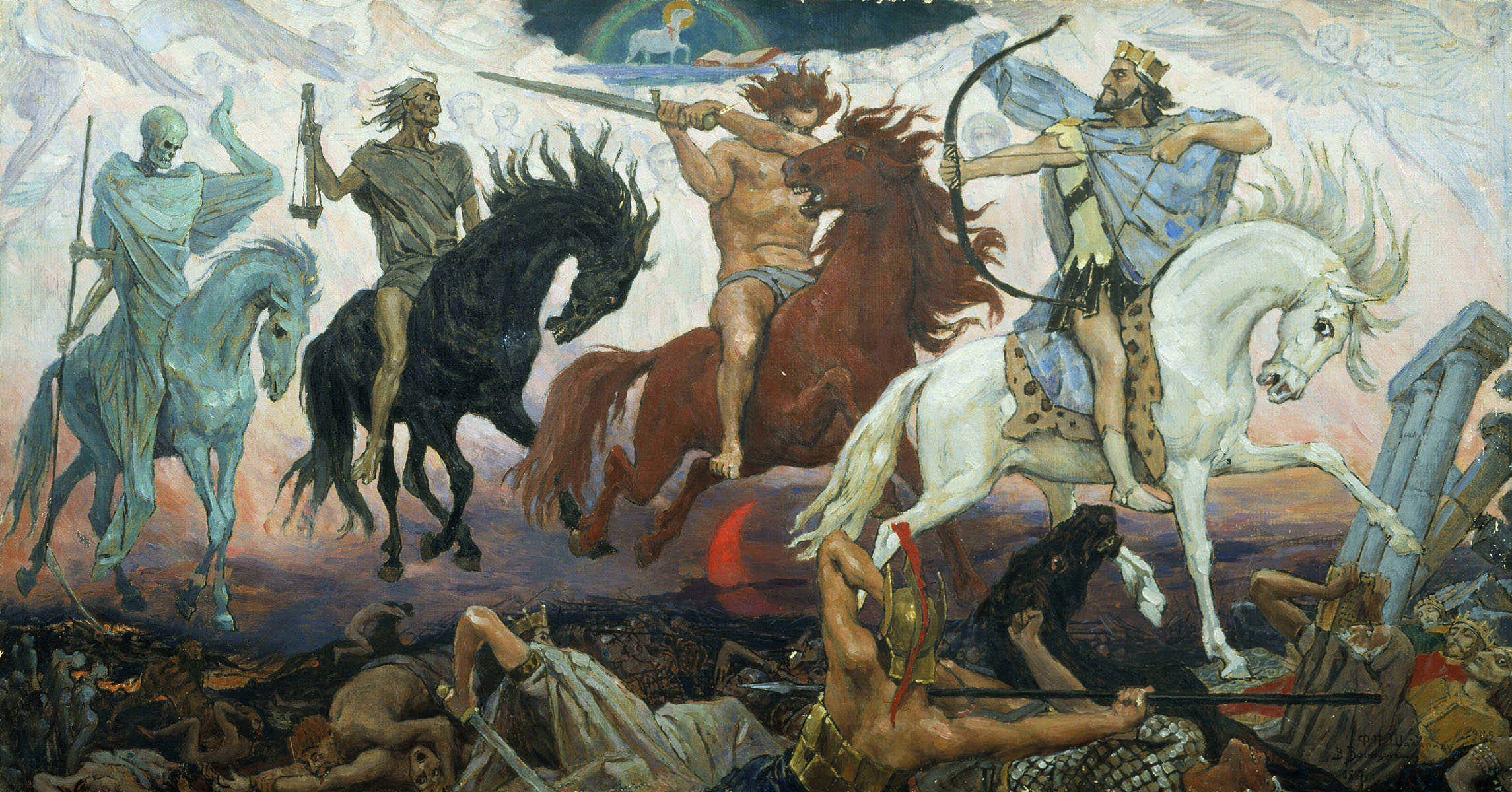
比如这里假设我使用:

转换成 .webp 后放在 \butterfly\source\img,那么我这里的 url 就可以填:

1
2
3
4
# Website Background
# Can set it to color, image URL or an array containing colors and/or image URLs
# If an array is provided, a random background will be selected from the array on each load
background: /img/Apocalypse_vasnetsov.webp

3.3.2 顶图与遮罩

\butterfly\_config.yaml :

1
2
3
4
5
# Disable all banner images
disable_top_img: false

# If the banner of page not setting, it will show the default_top_img
default_top_img: /img/Apocalypse_vasnetsov.webp

修改 default_top_img 为需要显示图片的位置。

为了使标题更突出,可以对其遮罩进行更改:

head.styl :

1
2
3
4
5
6
7
  if hexo-config('mask.header')
    &:not(.not-top-img):before
      position: absolute
      width: 100%
      height: 100%
      background-color: var(--mark-bg)
      content: ''

其中 --mark-bg--mark-bg: alpha($dark-black, .3) 也就是一个 0.3 不透明度的黑色阴影,更改这个数值,或者替换 $dark-black 为其他颜色就可以修改遮罩。

3.4 导航栏

3.4.1 导航栏标题

head.styl :

1
2
3
4
5
6
7
8
9
10
11
12
13
14
.site-name
    //text-shadow: 2px 2px 4px rgba($dark-black, .15)
    user-select: none
    -webkit-user-select:none
    -moz-user-select:none
    -ms-user-select:none
    font-family: 'Dukeplus', serif
    font-weight: 400
    font-size: 1.5em
    color: var(--Sulfur-Fire)
    text-shadow:
      1px 1px 2px rgba(0,0,0,.9),
      2px 2px 4px rgba(0,0,0,.8),
      0 0 6px rgba(190,30,0,.9);

修改 site.name 下的属性就可以。

3.4.1 导航栏背景

此处我希望取消下拉动画效果并且始终固定为纯色。

_config.yaml 中的这个 fixed: true 只能保证页面下拉之后导航栏固定。

1
2
3
4
5
6
7
nav:
  # Navigation bar logo image
  logo:
  display_title: true
  display_post_title: true
  # Whether to fix navigation bar
  fixed: true

样式逻辑在 head.styl 中:

1